These guides apply to Sensorpad deployed in your company’s environment. In code samples, replace sensorpad.link with your deployment’s event endpoint.
Sending events with duration
To send the duration of an event, you need to make two requests: at the start of the event and at the end of the event.
Events that do not overlap in time
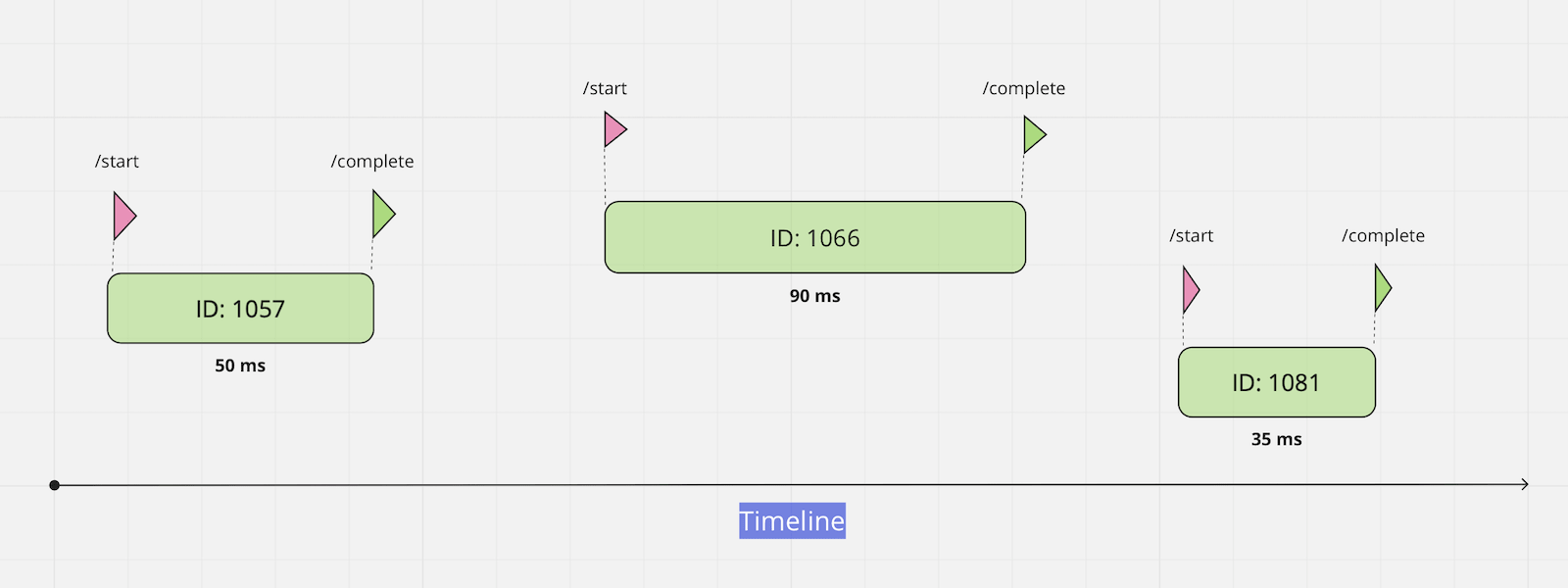
After sending a completion request, the system will find the last incomplete event and complete it.
Sending on Start
You need to send GET or POST request:
curl -i https://sensorpad.link/40bb8708-16b5-47ca-a864.../startSending on Finish
You need to send GET or POST request:
curl -i https://sensorpad.link/40bb8708-16b5-47ca-a864.../completeYou can omit the word complete and send your request without it:
curl -i https://sensorpad.link/40bb8708-16b5-47ca-a864.../Events that overlap in time
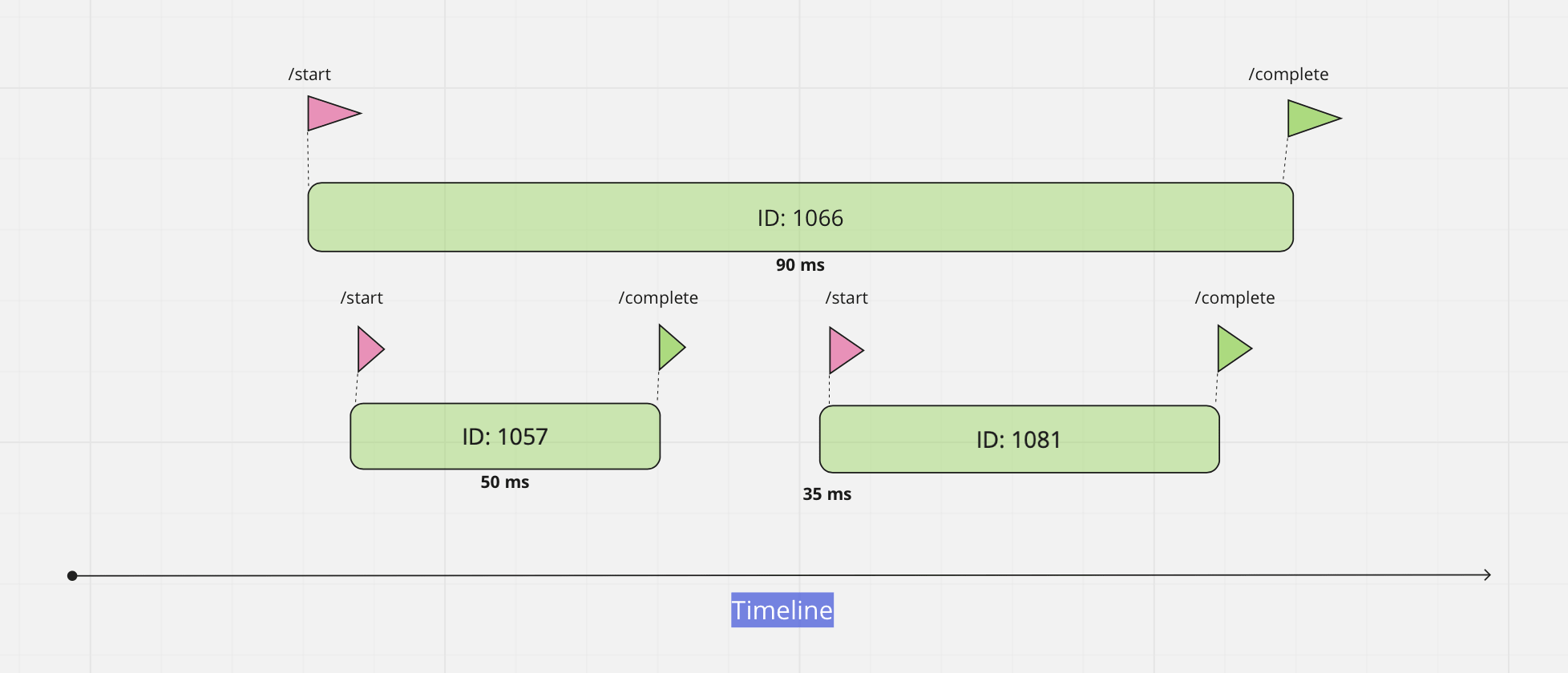
If you start several events at the same time, a call to the complete endpoint will find the last started event and complete it. It may not be the behavior you expect. When multiple events are running simultaneously, we recommend that you explicitly pass the ID of the event you want to complete.
We need to send starting request and got event ID from response:
curl -i https://sensorpad.link/40bb8708-16b5-47ca-a864.../start{
"sensor": "40bb8708-16b5-47ca-a864...", // code of the sensor
...
"event_id": 1057, // <-- ID of started event
...
}Now we can explicitly send this event to complete endpoint:
$ curl -i https://sensorpad.link/40bb8708-16b5-47ca-a864.../complete/1057/Please note that you can also pass a value at the start of an event or at the complete of an event. A value passed at the start can also be changed at the complete by simply passing a new value.